New Meet the 3-agent engine: Scribe, Pilot & Architect turn plain English into Playwright code See how it works →

Agentic AI quality engineering studio

From plain English to automated tests in minutes

OnSpot QEStudio's AI agents take you from BRD to user stories, test cases, Playwright scripts and CI results — web, API, low-code and AI evals in one studio. No frameworks to stitch together. No flaky selectors.

  • No credit card required
  • Works with your stack
  • Local or cloud LLMs

Plays nicely with the tools you already use

JiraAzure DevOpsGitHub ActionsPlaywrightOpenAIOllamaChromaMCP
0x

faster test authoring vs. hand-written scripts

0%

median CI pass rate across executions

0

testing surfaces in one studio: web, API, low-code, AI evals

0%

traceability from requirement to automation artifact

The 3-agent engine

Meet your AI quality team

Three specialized agents collaborate on every test — so intent, reality and code always agree.

Step 01 · Understand

Scribe

The requirement parser. Paste a user story or BRD in plain English and Scribe turns it into structured machine intent — steps, data and expected results — with suggested tool actions per step.

  • BRD & user-story parsing
  • Structured test intent + data
  • Works with local or cloud LLMs

Step 02 · Observe

Pilot

The browser driver. Pilot takes control of a real browser, executes the intent step by step and records a high-fidelity interaction trace — real selectors, real behavior, zero guesswork.

  • Real-browser MCP execution
  • Live streamed run logs
  • Exact observed selectors

Step 03 · Synthesize

Architect

The code synthesizer. Architect fuses abstract intent with Pilot's real trace to draft robust, production-ready Playwright scripts that match the executed steps exactly.

  • Production-ready Playwright code
  • Zero flaky, hallucinated locators
  • One-click push to CI

One studio, full lifecycle

Everything between “requirement” and “released”

Stop stitching together five tools. QEStudio covers the whole quality lifecycle in a single workspace.

User story → test cases

Generate comprehensive, approved test cases from user stories in seconds — with coverage tracking from story to case.

BRD importFeature breakdownApproval flowGap analysis

Test case → automation

Convert approved cases into executable Playwright scripts with the Scribe → Pilot → Architect loop.

Web automation hub

Execute, schedule and monitor runs across environments with live charts and run history.

Enterprise API testing

Catalog services, generate schemas and probe endpoints — collections included.

Low-code automation

Let non-coders build reliable flows visually while engineers keep full-code control.

AI evals

Score LLM behavior with structured evaluations before your AI features ship.

Knowledge-grounded answers

Ask anything in enterprise chat — responses are grounded in your vector knowledge base, docs and attachments via RAG.

Chroma vector storeRAG chatDocs & attachments

Reports & traceability

End-to-end coverage from requirement to automation artifact, plus CI publish status.

How it works

From idea to green CI in four steps

1

Describe it

Paste a BRD, user story or manual steps into the studio. Scribe parses the intent live.

2

Watch Pilot drive

Pilot executes the flow in a real browser and streams logs while tracing every interaction.

3

Take the script

Architect drafts the Playwright code from intent + trace. Review, approve, done.

4

Ship with confidence

Push to GitHub, run in CI, and monitor coverage and pass rates on the dashboard.

Integrations

Fits your delivery pipeline

Sync requirements from Jira or Azure DevOps, push scripts to GitHub, run on every commit — and bring your own models, local or cloud.

Jirastories & defects sync
Azure DevOpswork items & boards
GitHubpush scripts · CI runs
MCPlocal executor runs
Ollama + OpenAIyour choice of LLM
Chromavector knowledge base

Coverage & traceability, live

Story → case

94%

Case → automation

88%

End-to-end

86%

Every requirement links to its stories, cases, scripts and CI results. Audits become a screenshot.

Loved by QA teams

Teams ship faster with QEStudio

“We replaced a patchwork of recorders and frameworks with QEStudio. Our regression suite went from two days of manual effort to a 40-minute automated run.”
Priya N.QA Lead · Fintech
“The Pilot + Architect loop is the killer feature. Selectors are observed, not guessed — our flaky-test rate basically disappeared.”
Daniel K.SDET · E-commerce
“BRD to approved test cases in an afternoon, with full traceability for our auditors. Compliance reviews used to take weeks.”
Amara O.Quality Manager · Healthtech

Product tour

See the studio in action

Real screenshots from the running app — the Automation Studio, Integration hub and knowledge graph.

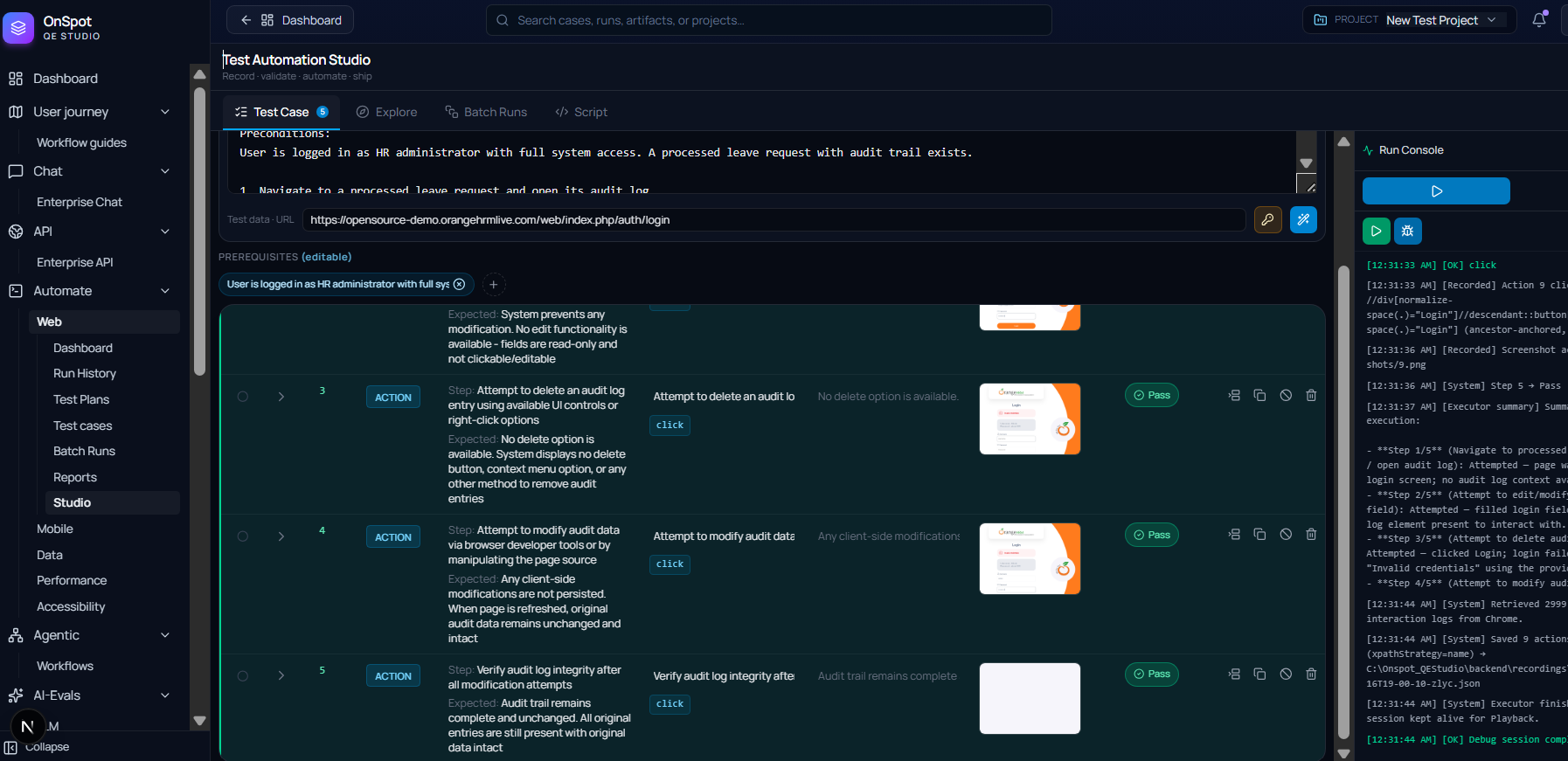
OnSpot QEStudio — Test Automation Studio with step table, Pass badges and run console
Test Automation StudioTestCase, Explore, Batch Runs and Script tabs — steps with expected results, Pass badges, evidence thumbnails and a live run console streaming executor logs.
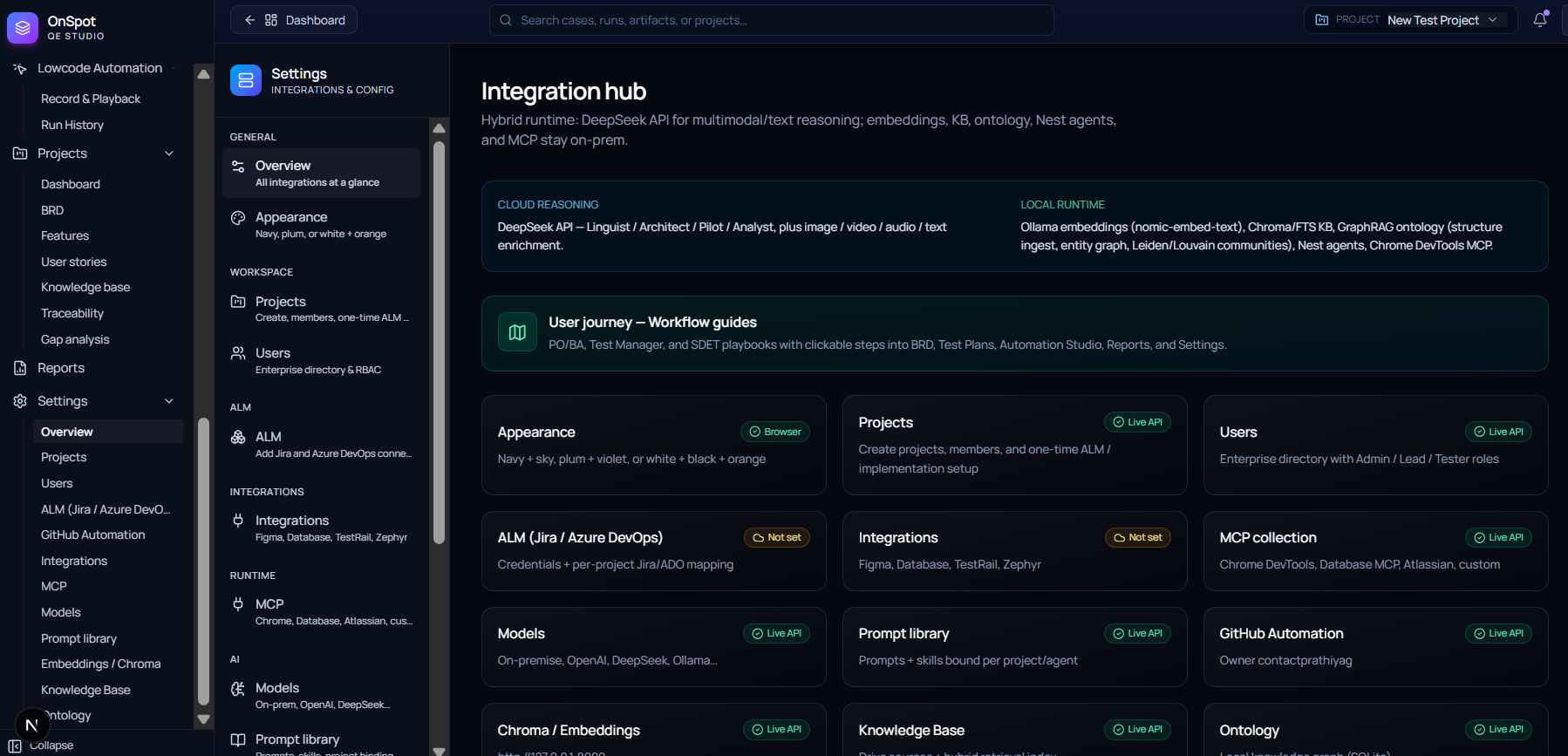
OnSpot QEStudio — Integration hub with hybrid runtime and Live API status per integration
Integration hubHybrid runtime — any cloud or on-premise models for reasoning, embeddings, KB and MCP — plus workflow guides and Live API status for ALM, models, prompts, GitHub and more.
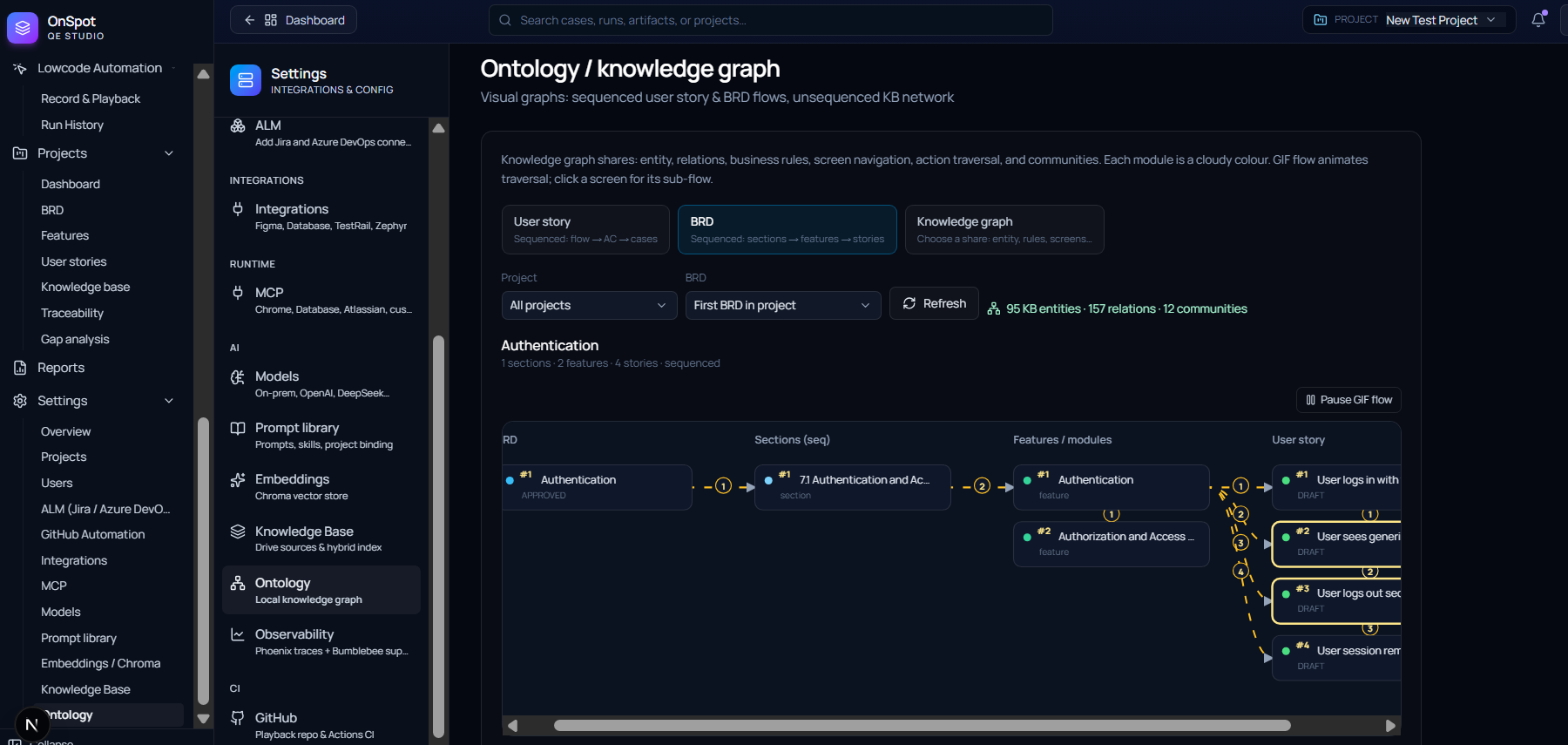
OnSpot QEStudio — Ontology knowledge graph sequencing BRD sections into features and user stories
Ontology / knowledge graphSequenced BRD → section → feature → user-story flow with animated traversal — entities, relations and communities at a glance.
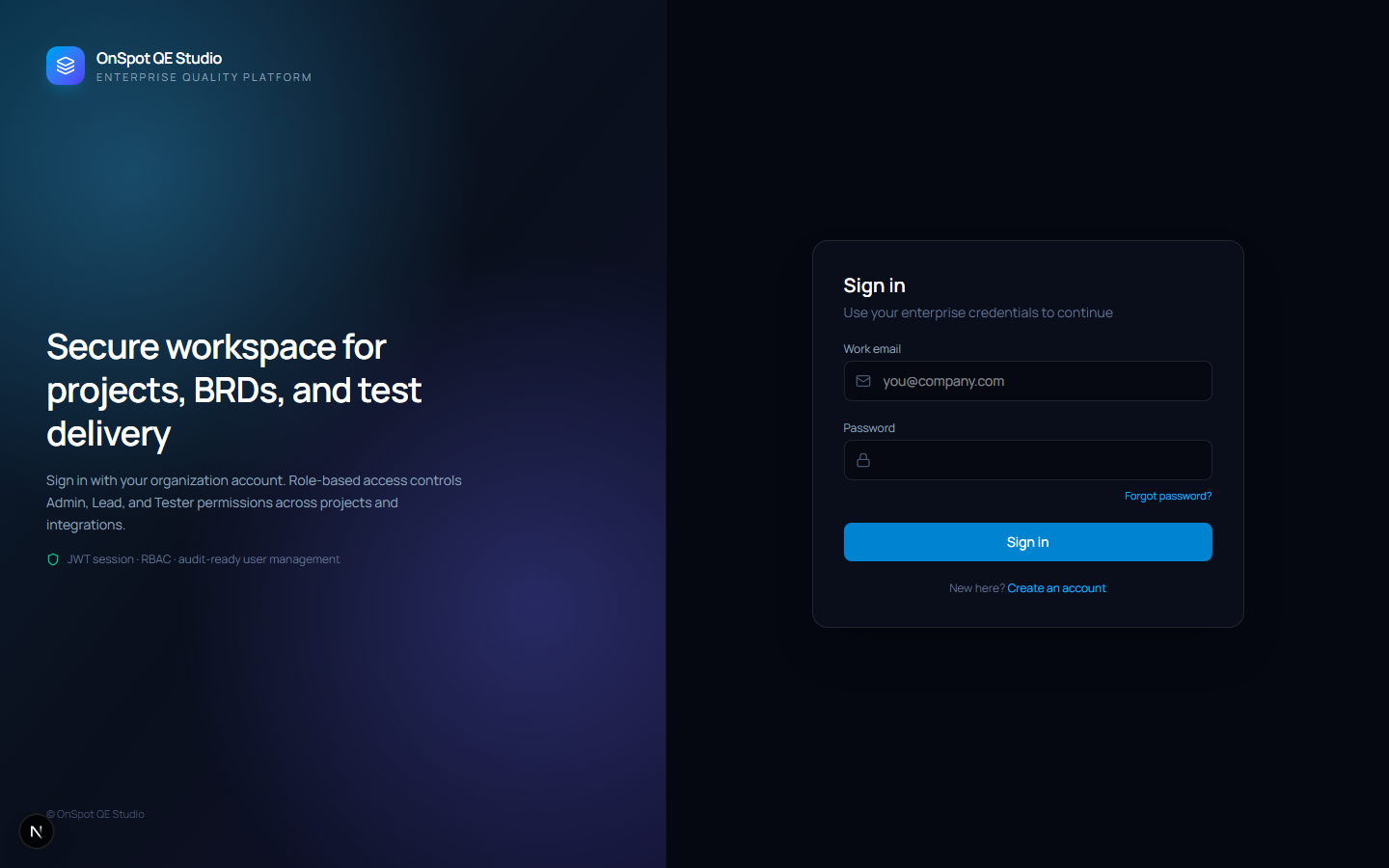
OnSpot QEStudio — secure sign-in
Secure sign-inEnterprise workspace with role-based access (Admin, Lead, Tester).

FAQ

Questions, answered

Do I need to know how to code?

No. Describe tests in plain English and the agents do the rest. Engineers can still inspect, edit and version every generated Playwright script.

Which apps can QEStudio test?

Any modern web app via real-browser automation, plus REST APIs through the enterprise API toolkit (schema generation, endpoint testing, collections). Low-code flows cover scripted business processes.

Can I use my own LLM?

Yes. Assign any configured model — local via Ollama or cloud via OpenAI-compatible providers — separately to the Scribe and Architect roles.

How does it fit my CI pipeline?

Push generated scripts to GitHub and run them in CI. The dashboard tracks pushes, pass rates and execution quality per environment.

Is my data private?

Your knowledge base runs on your own vector store, and Enterprise plans support VPC/on-prem deployment with SSO and audit logs.

Ship quality at the speed of ideas

Join QA teams turning requirements into green CI runs with OnSpot QEStudio.

Book a demo

45-minute live walkthrough · Pick a slot in your timezone · No credit card required